We have finally completed our evaluation and come to an end with this project! We have really enjoyed creating our trailer and working together to produce a magazine cover and poster. We are overly very happy with the outcome however, there are some aspects of our project that we feel did not completely go to plan due to technical difficulties. One main problem we encountered when making the magazine cover was that our shots that we took of Ruth got deleted and we did not have time to schedule another photoshoot with our actress Kira. Therefore, we had to make do with a still image we sceen shot from our trailer thus resulted in a slighty pixalated affect on our magazine cover. We are very proud of all the work we have produced in this project and it has enabled us to increase our knowledge in the media industry.
SIGNING OUT :D
Showing posts with label Cindy. Show all posts
Showing posts with label Cindy. Show all posts
Friday, 20 January 2012
Evaluation- Question 4!
What have you learnt from your audience feedback?
This had to be our favourite question to answer as we enjoyed hearing the feedback from our target audience. We understand it is helpful to gain both positive and negative feedback and we enjoyed learning from this, as we know it can help us for future projects.
This had to be our favourite question to answer as we enjoyed hearing the feedback from our target audience. We understand it is helpful to gain both positive and negative feedback and we enjoyed learning from this, as we know it can help us for future projects.

Question Three!
How effective is the combination of your main products and ancillary texts?
This video describes the synergy between our trailer, poster and magazine cover. Our main aim was to include the 'horror' genre within all three with the idea of a spiritual figure. Here we wished to present this question slightly differently. Thus here we presented stills of our final pieces along with annotations directly onto the video via youtube. We thought this would be easy for you to follow and understand the reasons of our choices.
This video describes the synergy between our trailer, poster and magazine cover. Our main aim was to include the 'horror' genre within all three with the idea of a spiritual figure. Here we wished to present this question slightly differently. Thus here we presented stills of our final pieces along with annotations directly onto the video via youtube. We thought this would be easy for you to follow and understand the reasons of our choices.
Question Two!
How did you use new media technology in the construction and research, planning and evaluation stages?
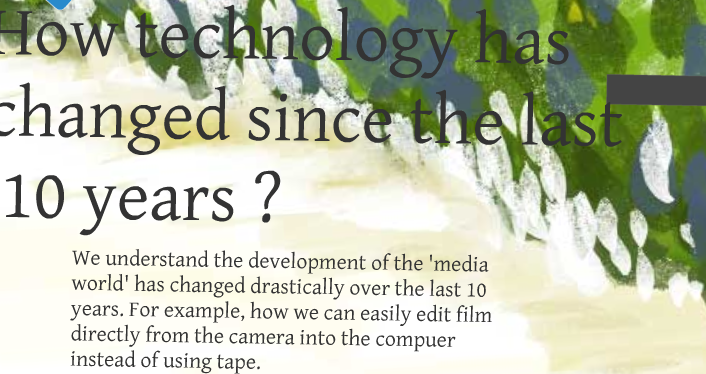
Here we made a Prezi explaining the different media technology types we used when creating our trailer, poster and magazine cover. Moreover, the understanding of how new media technology has progressed since the last 10 years alongside our progression of understanding how to use these technology types.
This emphasizes why we decided to use the template of a mountain showing this progression from technology 10 years from now leading to our evaluation after using these technology types.
Question One!
In what ways does your media products use, develop or challenge form and conventions of real media products?
Here we created a presentation answering this question using a new feature to our media department; the green screen. We edited this using the newer version of iMovie after learning how to add the image/clip behind our clip and shown on the green screen.
How we did this:
At first we re imported our clips (due to the crashing of the previous Imac we used) and placed them within the time line, then screen recorded the clip from Youtube of our trailer (as our previous project was on the previous Mac) collecting stills of our favourite clips, print screens of our media final products ; magazine and poster and screen recorded the trailers we were inspired by contrasted by our teaser trailer.
We placed the influence clips/ images over the green screen however this gained a grainy effect and was shown over our faces after clicking 'Green Screen'. However after experimenting with this we learnt we had to import the influence clips/images first before importing the clips with us, placing over this.
We are proud of the final outcome as we believe it demonstrates our points well and the framing of the influence pieces are well shown.
Enjoy!
Here we created a presentation answering this question using a new feature to our media department; the green screen. We edited this using the newer version of iMovie after learning how to add the image/clip behind our clip and shown on the green screen.
How we did this:
At first we re imported our clips (due to the crashing of the previous Imac we used) and placed them within the time line, then screen recorded the clip from Youtube of our trailer (as our previous project was on the previous Mac) collecting stills of our favourite clips, print screens of our media final products ; magazine and poster and screen recorded the trailers we were inspired by contrasted by our teaser trailer.
We placed the influence clips/ images over the green screen however this gained a grainy effect and was shown over our faces after clicking 'Green Screen'. However after experimenting with this we learnt we had to import the influence clips/images first before importing the clips with us, placing over this.
We are proud of the final outcome as we believe it demonstrates our points well and the framing of the influence pieces are well shown.
Enjoy!
PROBLEM
In yesterday's and today's lesson, when we were editing our green screen clips for our evaluation, iMovie wasn't responding as quickly as it normally does. At first we thought that it was because there was a lot of footage on there, but something has happened and we're unsure at the moment exactly what it is, but we can't view or edit our work.
So, because we may have to re-film some parts, and we'll have to edit it all over again, the deadline for our group has been extended so we can finish it. Our teachers felt that this was fair as we were so close to finishing our evaluation and it wasn't anyones fault that the file is corrupted. So we are working extra hard to re-film and edit it all in the next few days!
This is what we have managed to save..
This is what we have managed to save..
Green Screen!!
Today's lesson we decided to start question 1! We were really interested in using the green screen as it was an new addition to our media department and thought it could work well for the question. Our main idea for this was to involve our influences on the green screen whilst speaking about them/having an discussion in front directly talking to the camera. For this we all took turns speaking of a different influence as we found when we all stood in front of the green screen there wasn't enough room for the viewer to witness what clip or influence was being shown behind.
Hannah- spoke about the influence of 'The Girl with the Dragon Tattoo' and its structure we incorporated within our trailer.
Steph- Paranormal Activity 2 with the spiritual focus of the film.
Claire- The Omen and The Orphan with the focus of the children of the film with the use of shots; midshot alongside the use of lighting.
Cindy- The use of costume influenced by 'Don't Look Now' trailer with the red dress and spoke about the titles of the film influenced by 'The Girl with the Dragon Tattoo'.
We found that the green screen worked well as it looked interesting to watch and was an new way of presenting our evaluation also, taught us a new method learning about the use of the green screen.
We uploaded it to the new version of iMovie in which we had to discover how to place the green screen over the clip. Previously, we had made a time line of clips appropriate to what we wanted to speak about and eventually this worked well.
A problem we encountered was splitting the green screen clip as once we filmed we decided to continue filming as thought we could edit our mistakes by iMovie. To do this we had to import the clips into the project library click on the blue editing button once selecting the clip and click clip trimmer. For this we had to select the parts we wanted before dragging into the library again and if wanted a different part of the same clip we had to reimport that clip again.
Hannah- spoke about the influence of 'The Girl with the Dragon Tattoo' and its structure we incorporated within our trailer.
Steph- Paranormal Activity 2 with the spiritual focus of the film.
Claire- The Omen and The Orphan with the focus of the children of the film with the use of shots; midshot alongside the use of lighting.
Cindy- The use of costume influenced by 'Don't Look Now' trailer with the red dress and spoke about the titles of the film influenced by 'The Girl with the Dragon Tattoo'.
We found that the green screen worked well as it looked interesting to watch and was an new way of presenting our evaluation also, taught us a new method learning about the use of the green screen.
We uploaded it to the new version of iMovie in which we had to discover how to place the green screen over the clip. Previously, we had made a time line of clips appropriate to what we wanted to speak about and eventually this worked well.
A problem we encountered was splitting the green screen clip as once we filmed we decided to continue filming as thought we could edit our mistakes by iMovie. To do this we had to import the clips into the project library click on the blue editing button once selecting the clip and click clip trimmer. For this we had to select the parts we wanted before dragging into the library again and if wanted a different part of the same clip we had to reimport that clip again.
Friday, 13 January 2012
Our feedback video for question 4
After editing and gaining feedback from our audience we created a short video with the newversion of iMovie featuring the same people that we interviewed previously when asking about our storyboard.
Wednesday, 11 January 2012
Positive Feedback
We created a 'Wordle' with a few positive words that we received from some feedback.


Question 4! Preparation..
Before completing Evaluation Question 4 we have been given sheets of feedback about our trailer in which a different school has completed giving both positive and negative criticism. We are finding this helpful as it helps us realise what we could have done to improve from other viewers that ourselves and our classmates in which may be bias when giving their own feedback.
The questions they answered were:
a) What genre did you believe this trailer was?
b) What gender and age group do you think the trailer would appeal to?
c) What did you like about the trailer?
d) What could be improved?


We are pleased with our audience feedback and thankful as we understand our feedback is honest and unbias. We feel this feedback would highly help us with our evaluation so we can question our choices and compare to this feedback learning from it in hope to improve our future projects with the feedback in mind.
Monday, 9 January 2012
The Question 2 technology video!
Our finished piece for our prezi for question 2, demonstrating how and why we used these different media technqiues along with our voiceover.
Sunday, 8 January 2012
Screen Recording of our Script for Question 2!
Here is a quick screen recording showing you the script we created. As you can probably see the text is in different colours; purple, pink, green and yellow. We each are assigned a different colour so as a group we can equally spilt the dialogue. Hannah and Steph made the script whilst Claire and myself made the video. We recorded the voice over in lesson before editing it to fit the appropiate print screens after school and lunchtimes.
Saturday, 7 January 2012
Todays Lesson!
Todays lesson we have been focusing on finishing question 2 and our audience feedback video where we have inteviewed the same people in which we had interviewed previously when asking of their opinion of our storyboard. These are, Nkechi Ireogbulem, Antar Adams and Chloe Byerley. We wanted to interview the same people to see how our project as progressed and to gain their opinions of it however, it was not possible to track all our interviewees as some were on holiday or away studying for exams.
We wish to interview from older aged perspectives to gain reliable feedback unbias of the age. But we are unsure if we have enough time yet!
We wish to interview from older aged perspectives to gain reliable feedback unbias of the age. But we are unsure if we have enough time yet!
Question 2 So far...
Our Prezi so far for Question 2!
We have decided to use the mountain template to show our journey of using the media technology and our process leading to our evaluation of learning how to use it. Moreover, to emphasise the development of new media technology since the last 10 years.
http://prezi.com/zvajdxty0fga/question-two/
 b) How we planned to use the technology- small paragraphs for why the technology we used was planned for, why (what its purpose was) we used the technology we did.
 c) A close up of technology we used for our project. We wanted to have these as hyperlinks to sites explaining in detail the purpose of the software/technology with their advantages. In the space we would have a video in which we are working on which shows the process of using the technology and software, there will be a voiceover here and stills explaining our point.
 d) Up the mountain shows 'the path' showing how we researched these technology so we could easily use it to the best of our ability to better our trailer/ poster/ magazine poster the best we can.
 e) The evaluation of our use of the technology. What worked and what didnt. Cindy did the video where it explains and how we used the technology and what we had trouble with.

From here we need to:
- Place images with the text so looks more eye catching and interesting in the small paragraphs
-Finish the voiceover in the video
- Insert the video
We have decided to use the mountain template to show our journey of using the media technology and our process leading to our evaluation of learning how to use it. Moreover, to emphasise the development of new media technology since the last 10 years.
http://prezi.com/zvajdxty0fga/question-two/
a) First step, explaining how technology has changed and how our technology has improved since our previous project for AS.


From here we need to:
- Place images with the text so looks more eye catching and interesting in the small paragraphs
-Finish the voiceover in the video
- Insert the video
Todays Lesson!
Todays lesson we have been focusing on finishing question 2 and our audience feedback video where we have inteviewed the same people in which we had interviewed previously when asking their opinion of our storyboard. These are, Nkechi Ireogbulem, Antar Adams and Chloe Byerley. We wanted to interview the same people to see how our project as progressed and to gain their opinions of it. We received a vast range of compliments and constructive critism. This we will use to evaluate our work and answer the feedback question in detail.
Tuesday, 3 January 2012
Introducing our Evaluation!
To help us plan our evaluation to help conclude our project we thought of different ways in which we could present our answers in an interesting and fun way.
A spider diagram of different methods we could use to present them using different technologies and software.

Here are our set questions in which we would have to answer about our trailer, magazine cover and poster.

Finally here is an scan of our final ideas of how we will present our questions which could evidently change mixing two of the same method together for example; a prezi, a video, screenshots and an voiceover.

Thursday, 15 December 2011

Tuesday, 13 December 2011
Problem Encountered!
After just finishing our photoshoot for our magazine cover we went to save our images onto our memory stick however, after using the school camera and memory card we found our photos had been deleted from the camera as the memory card was swiped after an previous student has used it. We now realised we should've immediately put the images onto our card thus to over come this we decided to use the last still at the end of our trailer for our magazine cover due to limited time; upcoming deadline.
Thursday, 8 December 2011
Magazine Cover!
Today we were told we needed to do a magazine cover! :) So we decided to look into different magazines in which we believe our film would be featured in, these were:
- Little White Lies
Little White Lies is an independent film magazine produced by The Church of London.
 The design of each issue of Little White Lies is inspired by its feature film, represented on the cover by an illustration of its lead actor. The cover film also influences interior aspects, such as editorial icons, chapter headings and custom typefaces. However, the overall template of the magazine remains the same.
- Studio
 The Studio Magazine was an illustrated fine arts and decorative arts magazine, founded in Britain in 1893.Copies of the magazine survive either as individual copies in their rather flimsy card covers, or as hardback bound volumes, usually containing four monthly issues.
- Sight and Sound
Sight & Sound is a British monthly film magazine published by the British Film Institute (BFI).
 We are not sure about the appearance of Sight and Sound magazine , as we believe it looks slightly simplistic and less commercial which is not what we wish for as we believe Blink would be a more dependent and larger movie; associated with Warner Bros. We were looking for something in which we could express the darker side of the movie to the audience with an interesting magazine layout.

 Empire is a British film magazine published monthly by Bauer Consumer Media and is the biggest biritsh film magazine.
We particularly like Empire magazine as could be well used for our specific genre and can experiment with different layouts and be inventive. We also can imagine our film being promoted using this magazine and have already thought of appropiate ideas!
- Little White Lies
Little White Lies is an independent film magazine produced by The Church of London.
 The design of each issue of Little White Lies is inspired by its feature film, represented on the cover by an illustration of its lead actor. The cover film also influences interior aspects, such as editorial icons, chapter headings and custom typefaces. However, the overall template of the magazine remains the same.
We are not sure that Little White Lie's magazine is appropiate for our film Blink as the layout is always quite Pop Art and artisitc which wouldnt relate too well with our production.
 The Studio Magazine was an illustrated fine arts and decorative arts magazine, founded in Britain in 1893.Copies of the magazine survive either as individual copies in their rather flimsy card covers, or as hardback bound volumes, usually containing four monthly issues.
We thought this was slightly more modern with the look yet believe the films advertise are not as well known. However, we do like the layout of this magazine.
- Sight and Sound
Sight & Sound is a British monthly film magazine published by the British Film Institute (BFI).
 We are not sure about the appearance of Sight and Sound magazine , as we believe it looks slightly simplistic and less commercial which is not what we wish for as we believe Blink would be a more dependent and larger movie; associated with Warner Bros. We were looking for something in which we could express the darker side of the movie to the audience with an interesting magazine layout.
 - Total Film

Total Film is a British film magazine published 13 times a year (every four weeks) by Future Publishing. We really like this layout as we beloieve we could be quite inventive with ideas and bring accross the horror genre. The only downside is the text is quite modern in which wouldnt work too well however we were sure to overcome this.
- Empire

We particularly like Empire magazine as could be well used for our specific genre and can experiment with different layouts and be inventive. We also can imagine our film being promoted using this magazine and have already thought of appropiate ideas!
Subscribe to:
Posts (Atom)